
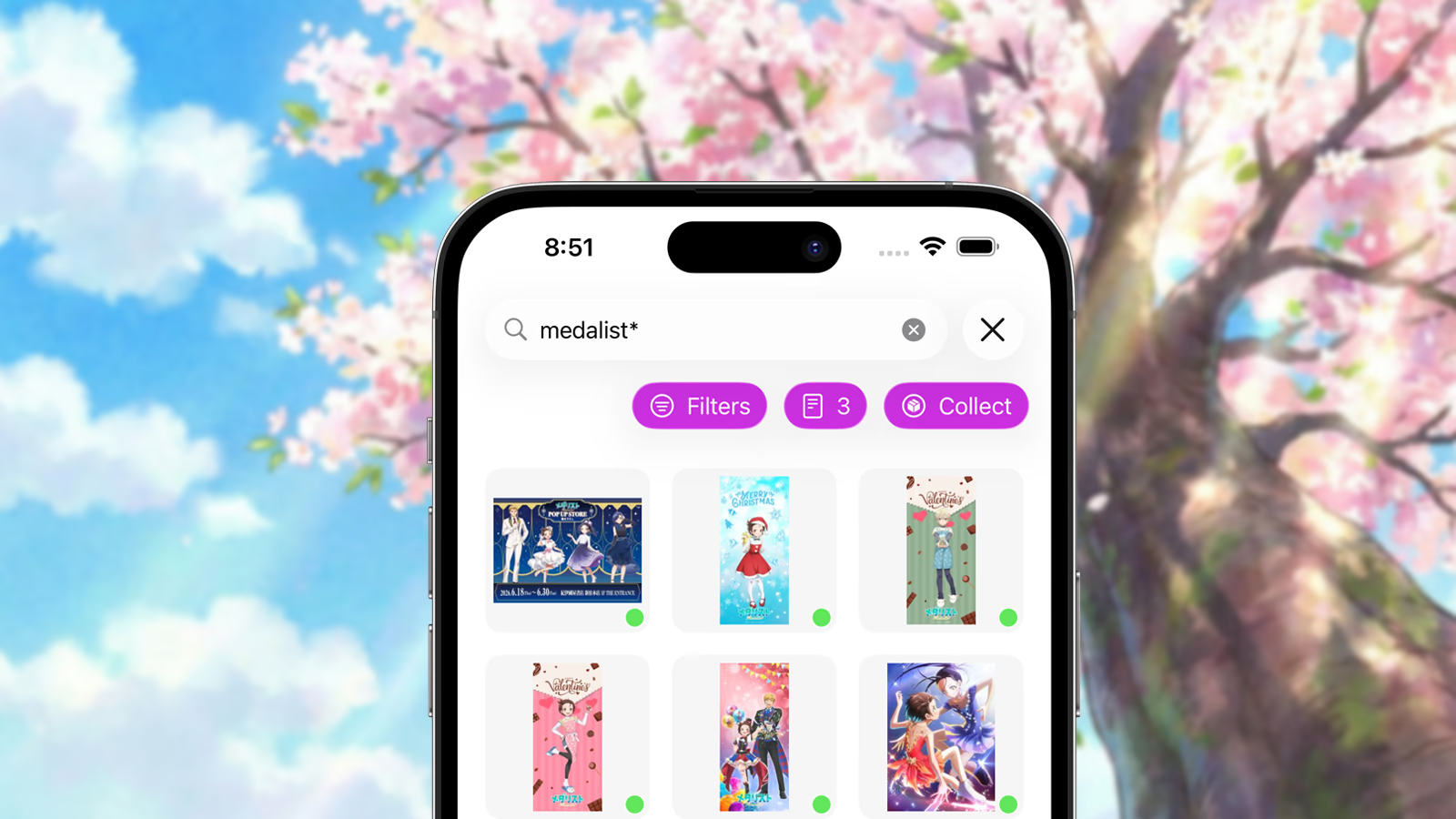
Our last blog post was published on February 6, 2026. While the lack of updates might suggest development slowed down, the opposite has been true: Mignori has continued progressing steadily over the past few months.
If you are a TestFlight tester, you have likely noticed that new builds have been arriving almost weekly as we continue refining the app and expanding its feature set. Today, we want to take the opportunity to outline everything that has changed since February.
Browsing & Server Improvements
Mignori Now Supports Antibot-Protected Boorus
If you were previously unable to use websites protected behind systems like Cloudflare, AFT1, AFT2, or McChallenge, Mignori can now detect these protections before every search and guide you through solving them manually when necessary.
This dramatically expands the number of compatible websites that can be accessed through the app while still respecting the protections these websites choose to implement.
Support for Non-Booru Websites
Since its original inception in 2013, Mignori has always focused exclusively on booru websites. Starting with Mignori 26, the app now supports a growing number of popular anime image hosting websites outside of the traditional booru ecosystem.
If you are thinking of a major anime image-sharing website, there is a good chance Mignori already supports it — provided it is not a “chan”-style website.
Multibooru Search
Mignori can now search across multiple websites simultaneously.
From the Server List screen, you can select one or more servers before starting a search. Results will then be aggregated across all selected websites at once.
Each configured server can now also have an associated color. Search results display small colored indicators that show which website a post originated from. If a post exists on multiple websites, multiple indicators will appear simultaneously.
Even More Booru Support
The list of supported booru websites has grown substantially since February. At this point, it is becoming harder for us to find websites that do not work with Mignori than ones that do.
There is currently only one known booru website we are aware of that remains incompatible due to extremely aggressive protections, and we want to respect that decision.
Library Management Improvements
Batch Collecting Posts
Mignori now allows you to collect multiple posts at once directly from server search results.
You can either:
- collect all currently loaded posts
- manually choose specific posts to save
Because large collection operations may leave your device active for extended periods of time, Mignori also now includes a built-in screensaver mode designed to reduce the risk of OLED burn-in. By default, the screensaver activates after 15 seconds of inactivity, though this behavior can be customized or disabled entirely.
Queue Management Improvements
The download queue has received several improvements.
You can now:
- remove queued posts you no longer want
- remove stalled posts that were deleted before downloading
- prioritize specific posts by moving them to the top of the queue
Additionally, Mignori now downloads multiple posts concurrently instead of processing the queue strictly one item at a time.
Collections & Rediscovery
The Collections tab has always surfaced posts based on different tag categories, but it now refreshes dynamically throughout the day to help you rediscover content from your own library.
You may suddenly come across:
- artwork from an artist you followed years ago
- an anime you were obsessed with a few months back
- old saved favorites you had completely forgotten about
One of our goals with Mignori is not only helping users save content, but also helping them reconnect with it later.
Improvements to Collection Timelines
Collection timelines now automatically group content by Years and Months, allowing you to browse your library chronologically and observe how your interests and tastes evolve over time.
Tag Management
Mignori’s local tag management capabilities have expanded substantially.
You can now:
- create tags
- rename tags
- delete tags
- add aliases
- convert tags directly into aliases
You can also now assign and remove tags from locally saved posts yourself instead of relying exclusively on metadata provided by booru websites. This gives you significantly more control over how your personal library is organized.
Easier Photos.app Export
Exporting content to Photos.app is now considerably easier.
You can now:
- export multiple gallery posts simultaneously
- export multiple server search results at once
- export entire albums, smart albums, and collections
When exporting collections, Mignori preserves the original hierarchy structure whenever possible so your organization carries over cleanly into Photos.app.
Performance Improvements
Over the past few months, we have addressed a large number of performance bottlenecks across the app.
From smaller libraries to extremely large ones — our internal test libraries now contain hundreds of gigabytes of locally saved content — Mignori should now feel significantly smoother and more responsive overall.
There is still additional work planned in this area, but the remaining performance issues primarily affect users with exceptionally large libraries.
One particularly important improvement has been tag resolution performance. The system responsible for categorizing and resolving discovered tags is now substantially faster than earlier Mignori 26 builds, resulting in faster saves and improved responsiveness throughout the app.
Performance work will continue all the way until the initial public release.
Local Search Improvements
Local searches are now significantly more performant.
Additionally, local search results can now be viewed:
- in the order posts were originally added to your gallery
- in randomized order
This makes it easier both to locate recently saved content and to casually rediscover older posts.
Release Plans
So, When Is Mignori Coming Out?
With WWDC now just over a month away, we have intentionally decided to wait before committing to a final public release date.
We want to evaluate any platform announcements or new technologies introduced during WWDC 2026 before finalizing the launch roadmap for Mignori. We also want to avoid situations where major iOS 27 changes force immediate redesigns shortly after launch.
For this reason, the final release timing decision for Mignori will be made after WWDC 2026.
What Is Still Missing?
At this stage, the initial release of Mignori 26 is considered feature complete. The remaining work is focused on stability, performance, booru compatibility, and polishing the library workflow before the public release.
Mignori Libraries are the direction we are taking for user-owned storage. They let you keep your saved content in a library file you control, including local storage or supported cloud storage providers when you want that flexibility.
Pricing
One of the most common questions we have received recently has been about Mignori’s pricing model.
Mignori will use a subscription-based model:
- $24.99 USD/yearly subscription
- $4.99 USD/monthly subscription
Both tiers will come with free trials.
While we understand subscriptions are not for everyone, we want Mignori to remain a long-term project that can continue evolving for many years. Sustained development, maintenance, compatibility work, and ongoing feature development are only possible if the project can sustainably support itself.
Limited-time lifetime purchase options may occasionally be offered in the future at premium pricing.
We sincerely hope you will continue supporting Mignori as development moves toward launch and beyond.
Thank You
Finally, we want to thank all TestFlight testers for their continued support, bug reports, feature requests, and feedback throughout development.
Many of the features added over the past few months directly originated from user feedback and testing.
While Mignori has now entered code freeze for its initial release, feedback and feature requests will continue being evaluated for future versions of the app.
Thank you for supporting Mignori, and thank you for sharing it with your friends.