
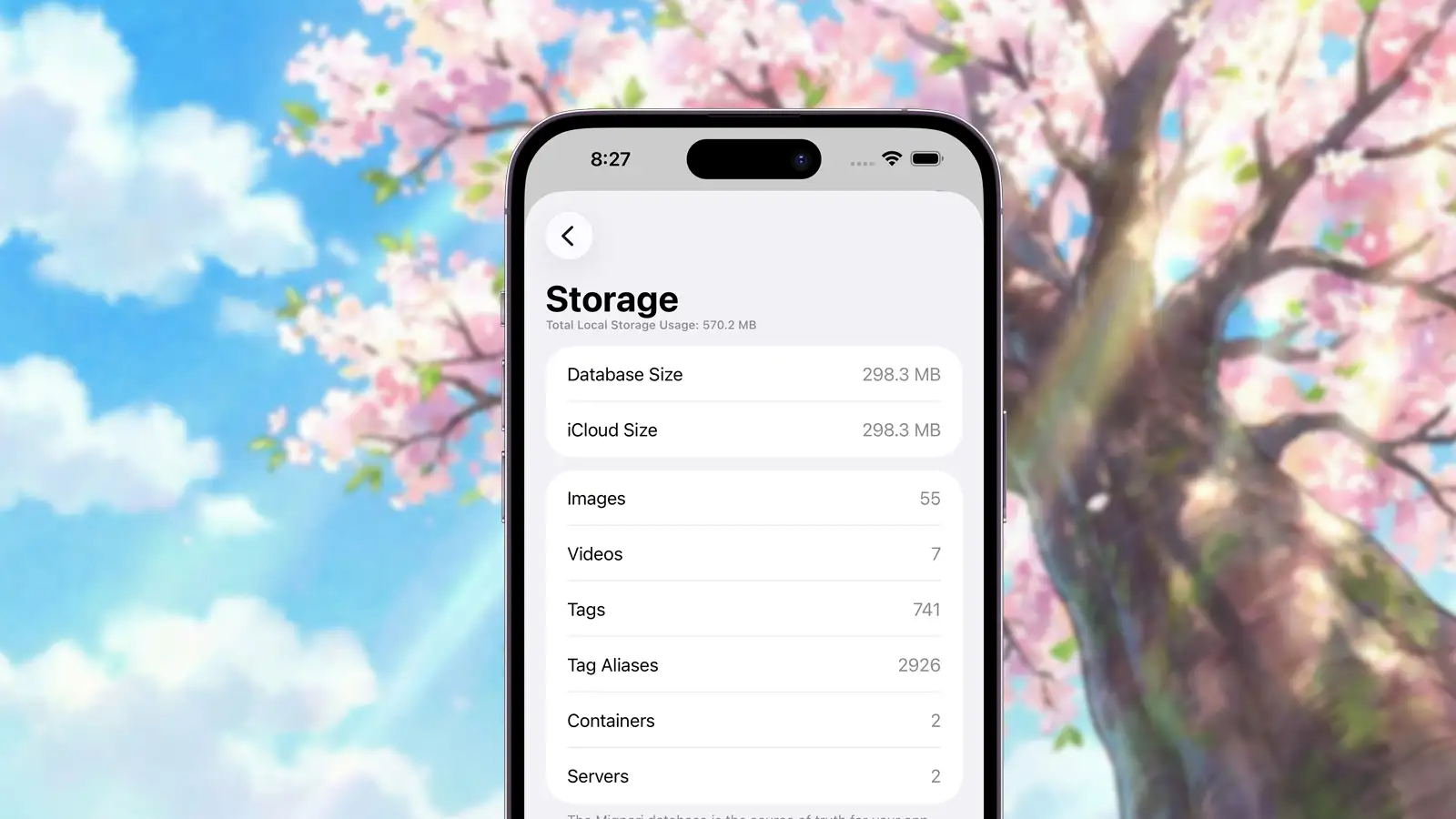
Mignori is an offline-first app, with iCloud Sync coming in a future beta. Because of this design, Mignori stores most of its data locally on your device. Understanding what this data is and how it gets stored will help you keep storage usage low and set clear expectations for both on-device and iCloud storage.
The Mignori Database
The source of truth for all your Mignori data is the Mignori database. This is a single file used to store:
- Posts (both images and videos)
- Collections (albums, smart albums, and collections)
- Tags
- Tag aliases
- Servers
Because it stores actual image and video data, this database can grow significantly if you save a large number of posts. From a performance perspective, Mignori has no issues reading from or writing to large databases, but the total amount of content you can store is ultimately limited by the available storage on your device.
Mignori does not separate metadata and media across local storage and iCloud. For consistency and reliability reasons, it is designed as a “sync-all” system. When iCloud sync is enabled in a future beta, you can expect iCloud usage to closely match the size of your local database.
Metadata
Mignori stores metadata returned by booru servers for each post. First, it stores the original hash provided by the booru. When you add a post to your gallery, Mignori also calculates and stores additional hashes: md5, sha1, sha256, and sha512.
While this may seem excessive, it enables reliable duplicate detection across different booru servers, which may use different hashing algorithms. This approach helps keep your gallery consistent and free of duplicates.
The table below shows how much storage hash metadata uses at different library sizes:
| Posts | Approx. storage range (hash metadata only) |
|---|---|
| 100 | 29–39 KB |
| 1,000 | 296–392 KB |
| 10,000 | 2.8–3.7 MB |
| 100,000 | 28–37 MB |
Mignori also stores additional metadata such as image dimensions, file size, video part counts (explained below), original URLs, favorite status, and more. In practice, metadata remains a small fraction of total storage usage compared to the images and videos themselves.
Raw Data
Mignori stores images and videos differently.
Raw Images
Images are stored directly inside the database. This is necessary to support seamless iCloud sync without polluting your iCloud file system with thousands of individual files.
Raw Videos
Videos are also stored directly in the database, but they are split into multiple parts and stored across different rows. This design helps iCloud sync remain resilient in unreliable network conditions.
Mignori stores the number of parts for each video so it can reconstruct them correctly and detect when a video has not finished syncing yet.
Thumbnails & Samples
Mignori treats image thumbnails and video previews very differently, based on reliability and consistency requirements.
Image Thumbnails
Mignori generates its own thumbnails for images. These thumbnails are not stored in the database and do not sync with iCloud. You can clear all image thumbnails from Booru > Settings > Storage, and Mignori will regenerate them automatically when needed.
Image thumbnails generated by Mignori are large in terms of dimensions—up to 512 pixels on their longest side—to preserve visual clarity in grid views and collections. However, they are not large in file size. Thumbnails are encoded in the .heic format at roughly 60% quality, which keeps their storage footprint relatively small.
In our tests, adding 4,000 posts resulted in roughly 100 MB of image thumbnail data. This data remains local-only and can always be safely regenerated or cleared.
Video Thumbnails & Samples
For videos, Mignori always stores both the thumbnail and the sample (the preview image shown before playback) directly in the database, and these assets do sync with iCloud.
Whenever possible, Mignori will generate the video thumbnail and sample locally and store the generated results in the database. This is the preferred path, as it gives Mignori full control over consistency and quality.
If Mignori cannot generate a thumbnail or sample—due to unsupported video formats, codecs, or container limitations on iOS—it will fall back to using the thumbnail and sample provided by the booru instead, and store those in the database.
As a result, the quality of video previews may vary depending on what the source booru provides. Lower-quality previews in these cases come from the booru itself, not from Mignori.
By storing video thumbnails and samples permanently, regardless of their source, Mignori ensures:
- Reliable playback previews
- Consistent behavior across devices
- Correct rendering even when offline or partially synced
Samples are never generated or stored for images—samples are exclusively used for videos.
Caches
As you use the app, Mignori temporarily stores images and videos in the system cache. While Mignori does not rely on caches for performance—fetching images and reconstructing videos directly from the database is already fast—cached files are required for features like sharing posts or exporting them to the Photos app.
You can clear cached files at any time from Booru > Settings > Storage without worrying about performance issues or breaking the app. iOS may also automatically clear caches when your device runs low on storage. A future version of Mignori will clean its own cache more aggressively to prevent it from growing unnecessarily large.
Summary
Mignori’s storage model is designed to support powerful features such as collections, smart local search, and full offline access while remaining efficient and predictable. Essential data syncs reliably through iCloud, and locally generated data can always be cleared safely if your device runs low on space.
Storage is a deliberate trade-off that enables Mignori’s privacy-first, offline-first design—and with a bit of awareness, it remains easy to manage.